
Work/Fund systems

High Tide Capital app

High Tide Capital is a fictional fund, and this is the iPhone app its partners would carry. The software behind it is in production at a real operating hedge fund. Every figure in the demo is sample data.

DemoiOS

High Tide Capital is a fictional name for this demo. It is not connected to any real firm with a similar name. Every figure is sample data.

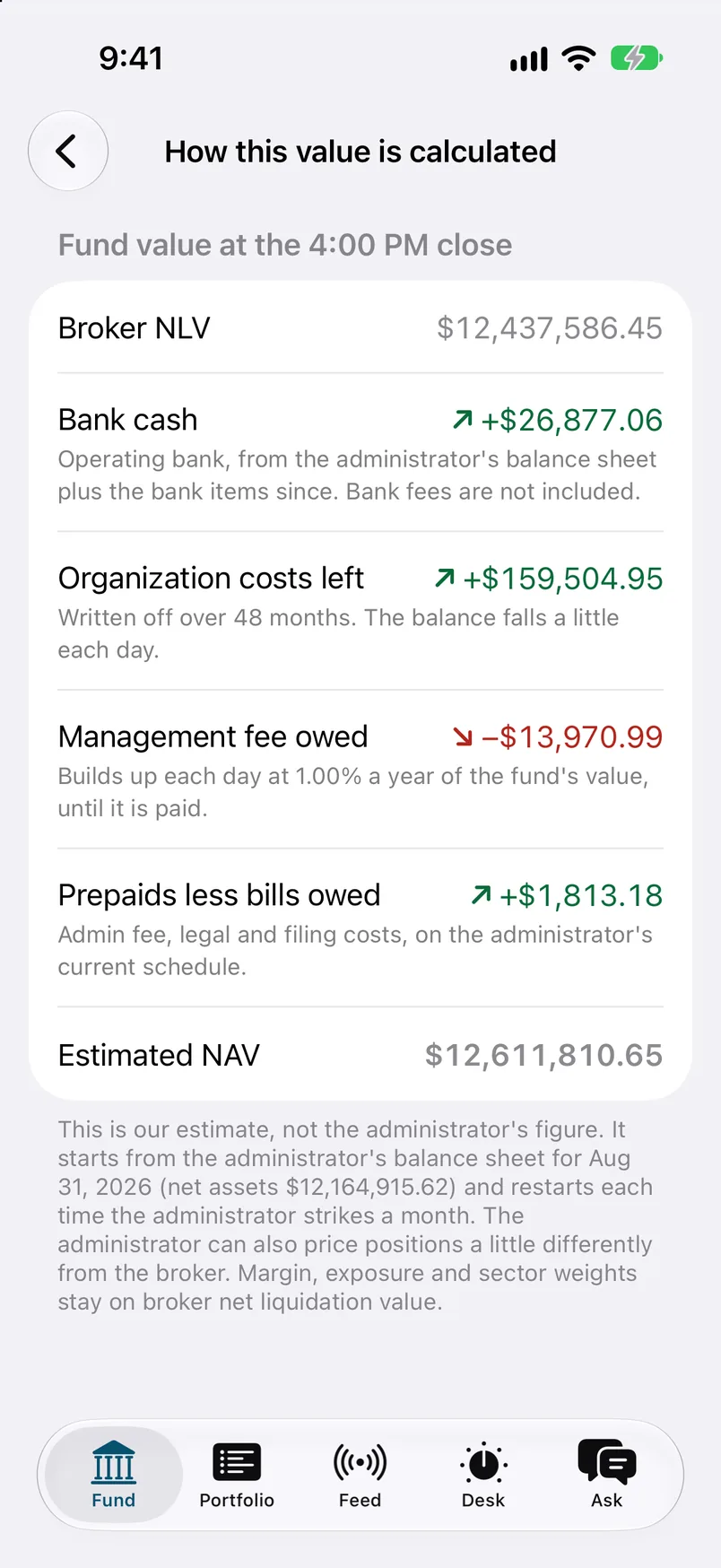
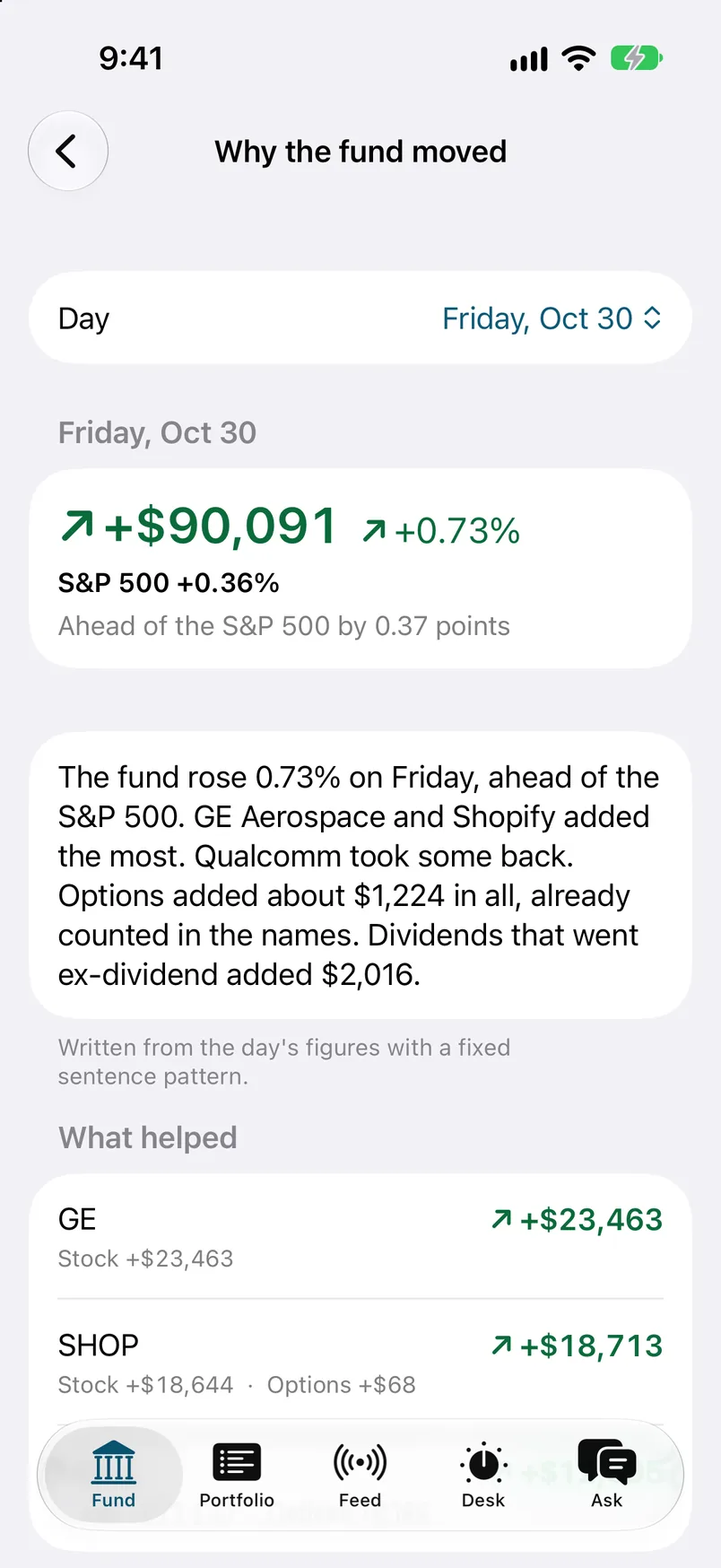
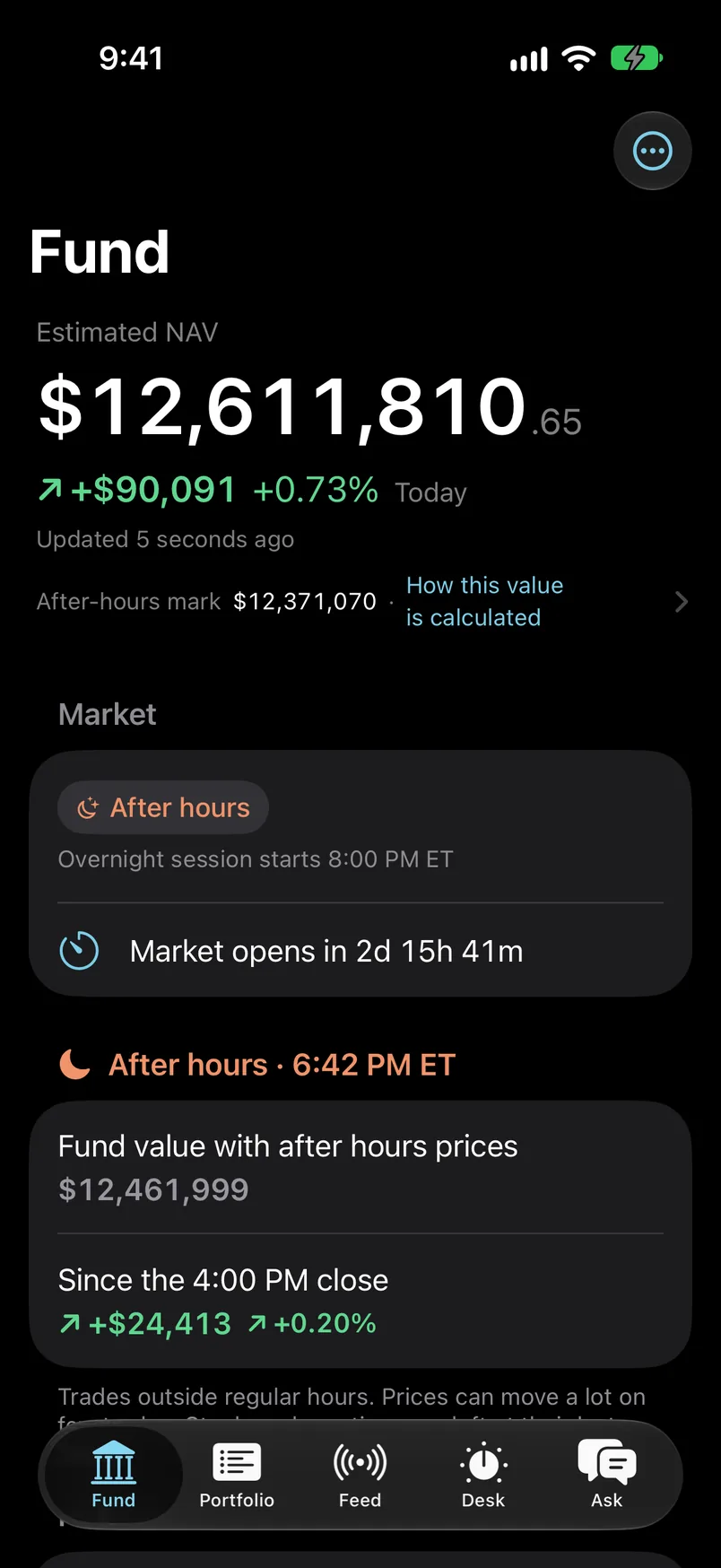
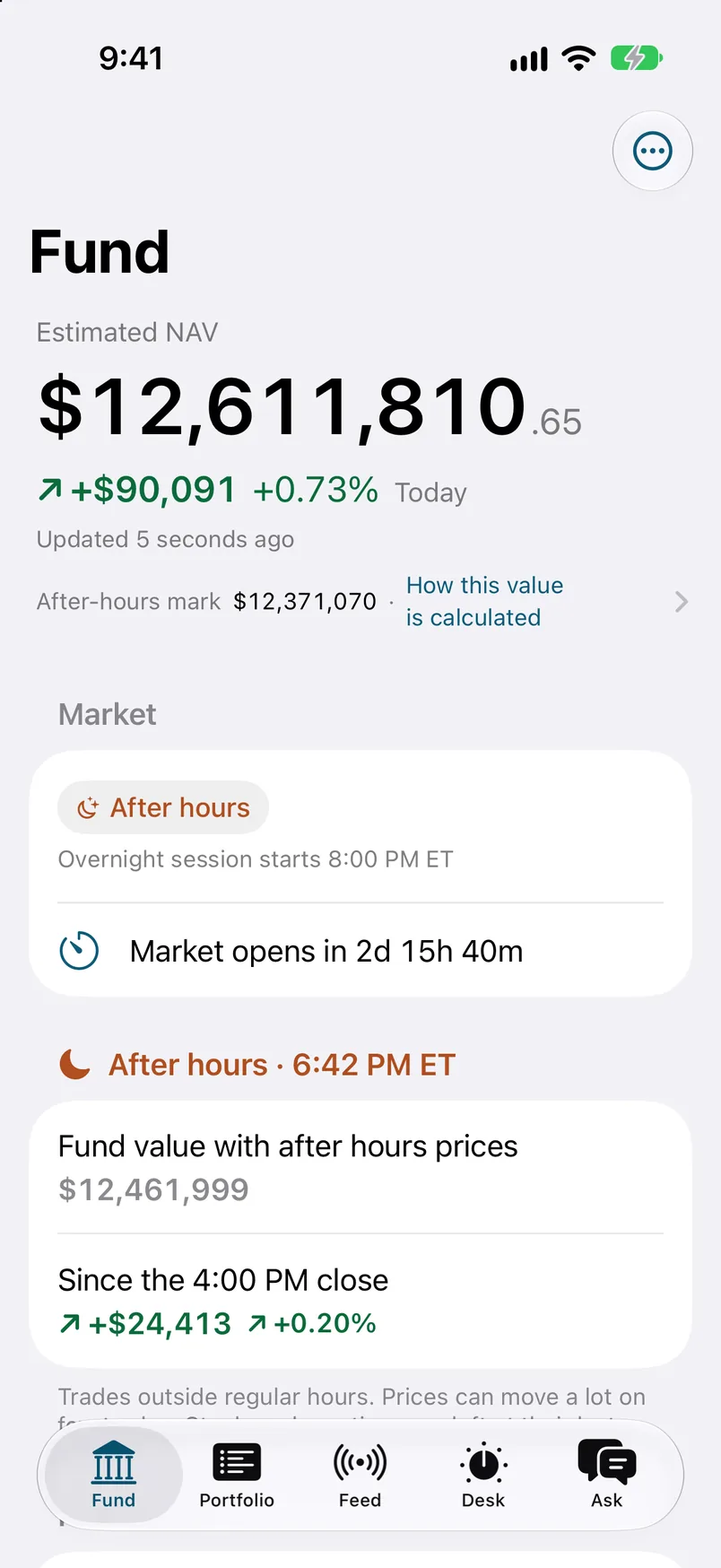
The Fund tab: estimated value at the close, the day's change, and the after-hours mark.
  1. 01The Fund tab. The estimated value at the close, the day's change, and the after-hours mark.
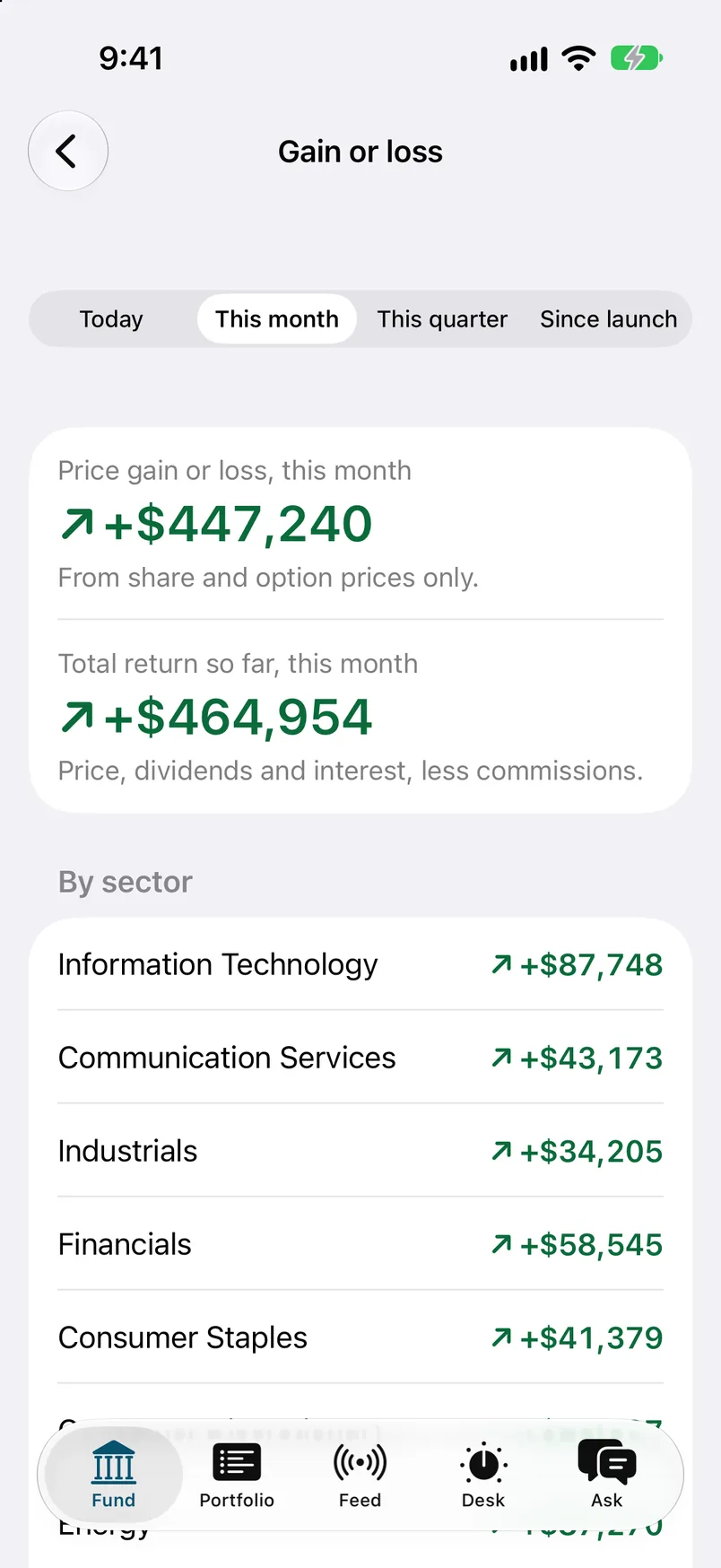
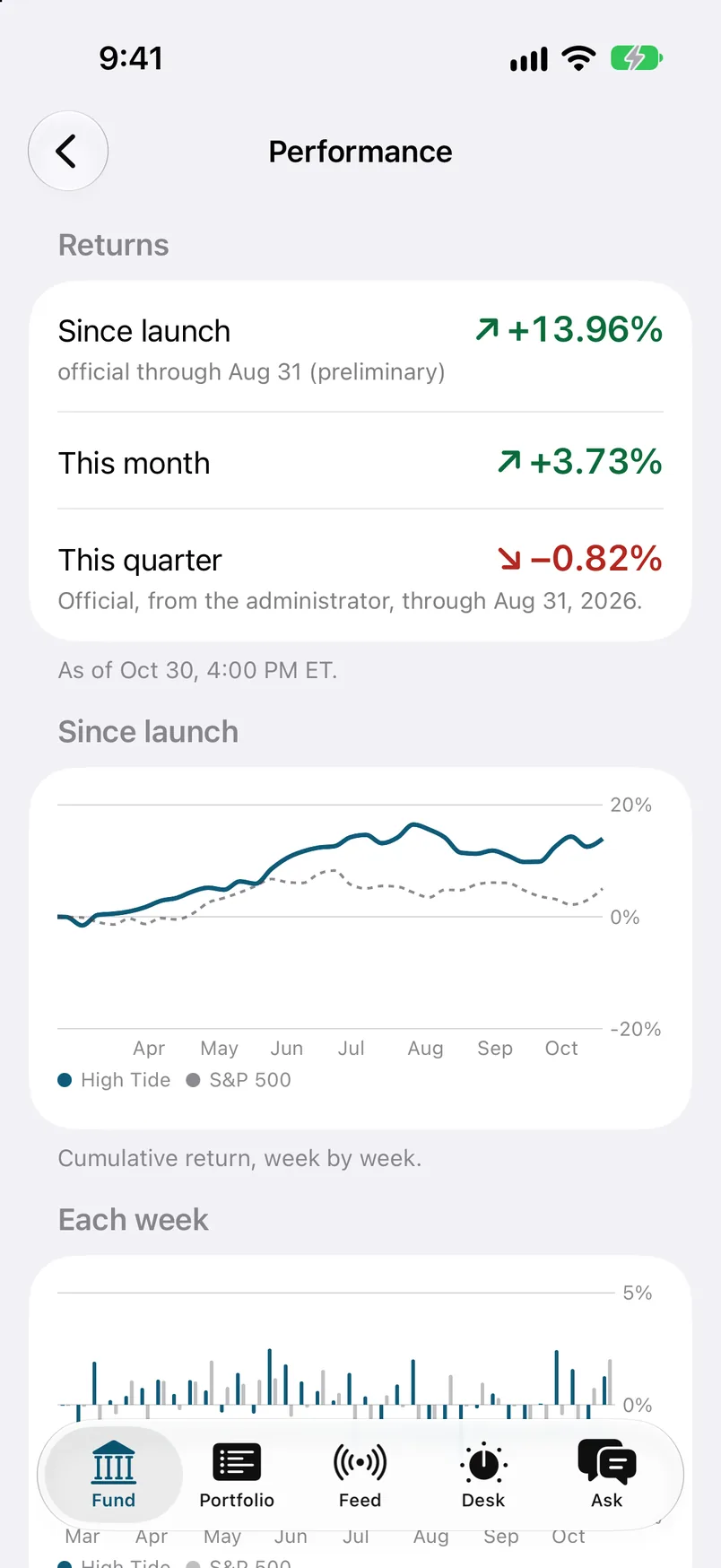
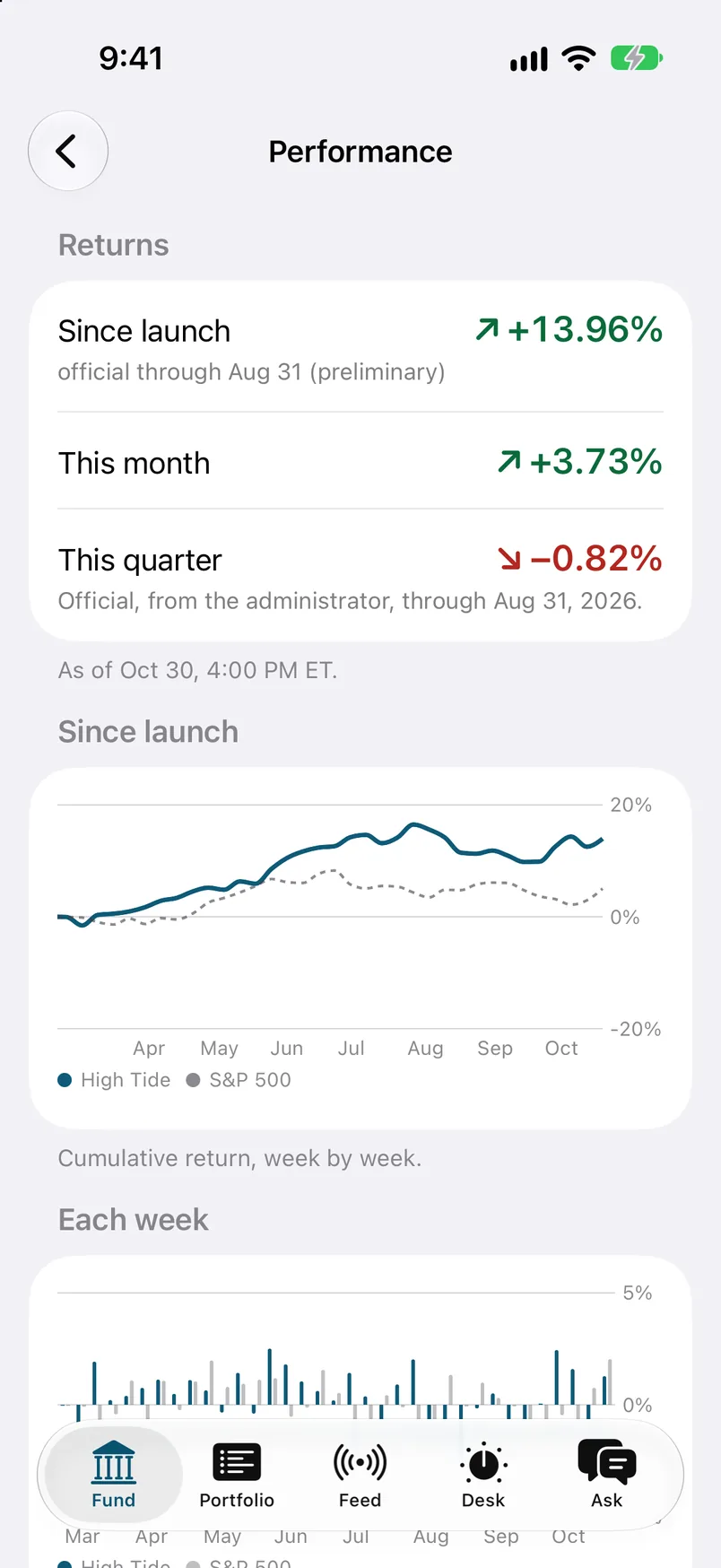
  2. 02Performance. A chart of the fund against an index, and a bar for each week.
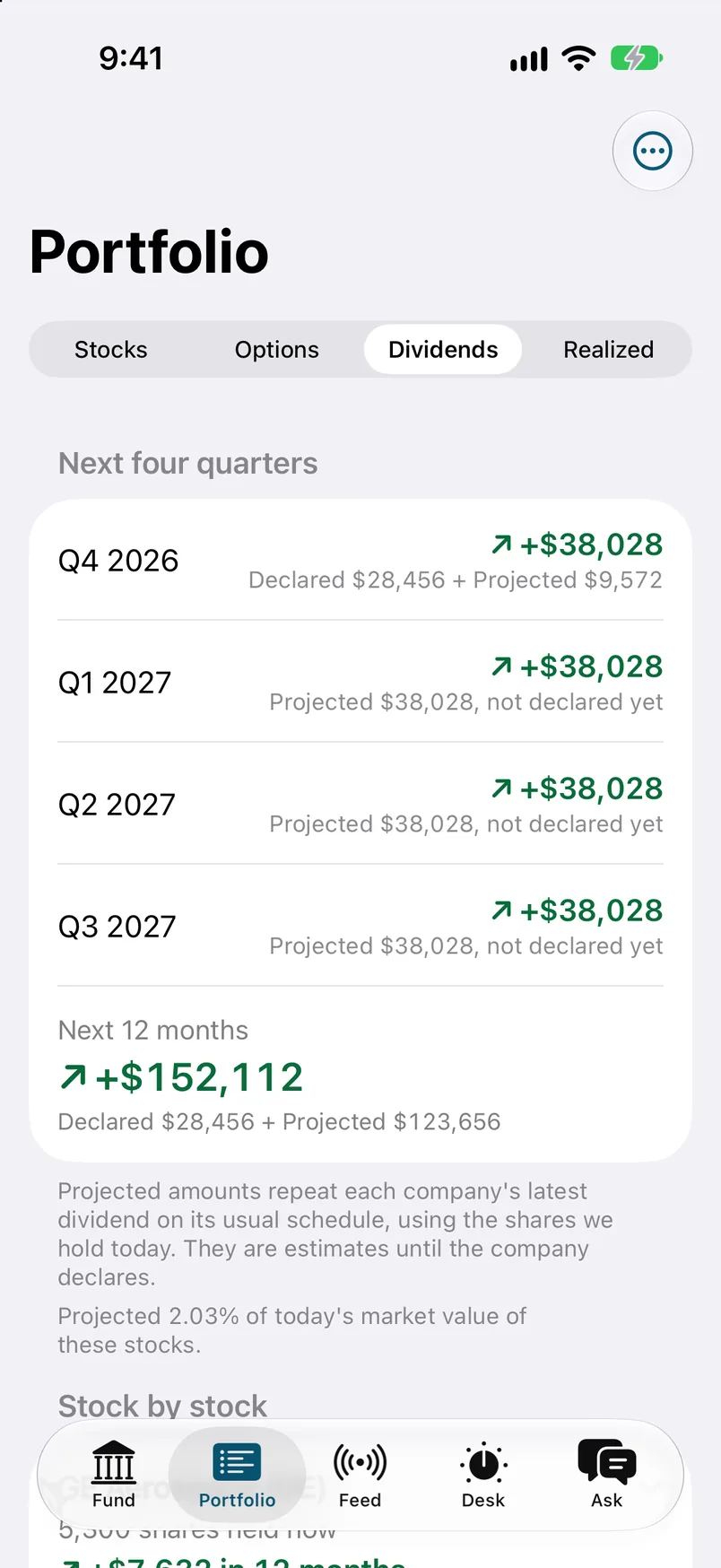
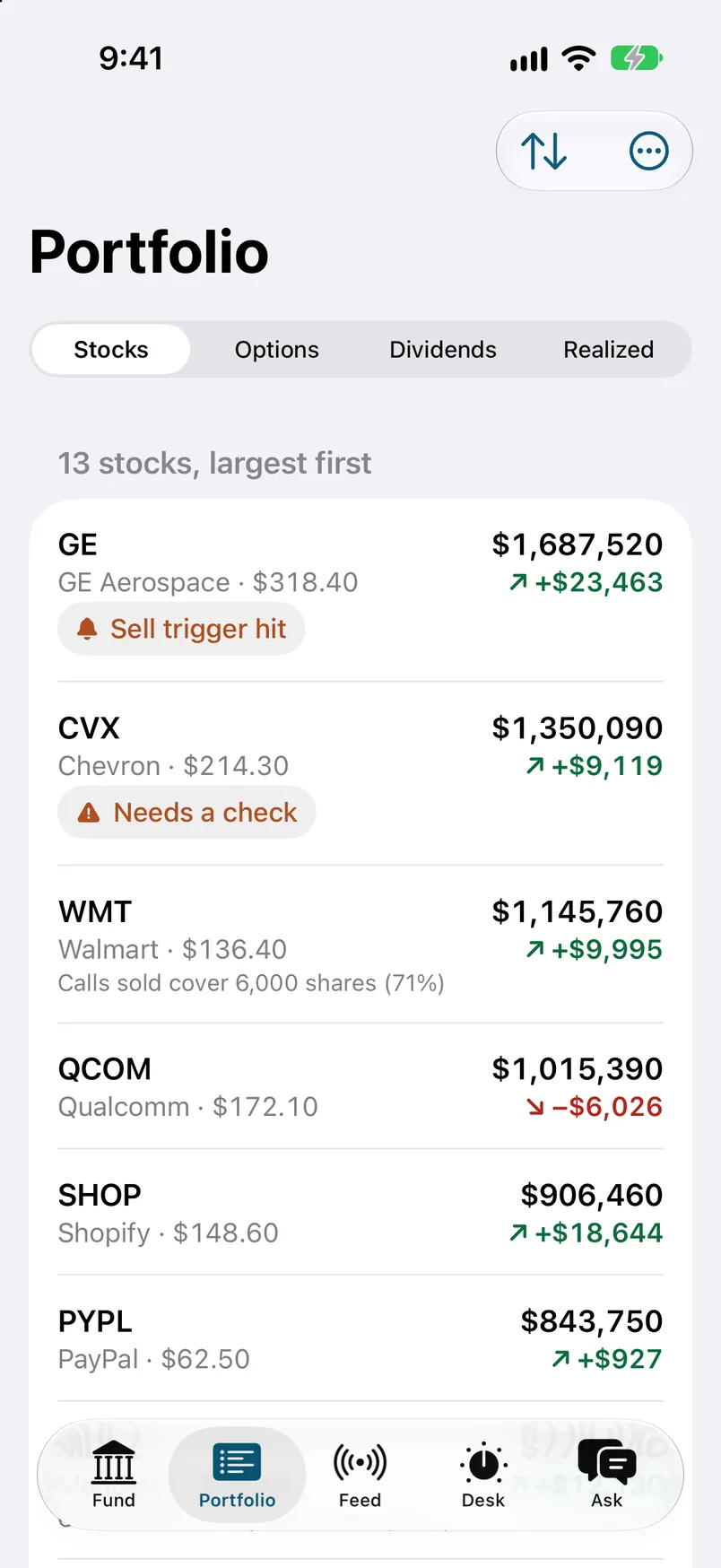
  3. 03Portfolio. Stocks by size, with a flag where a position needs a look. Tap a position.
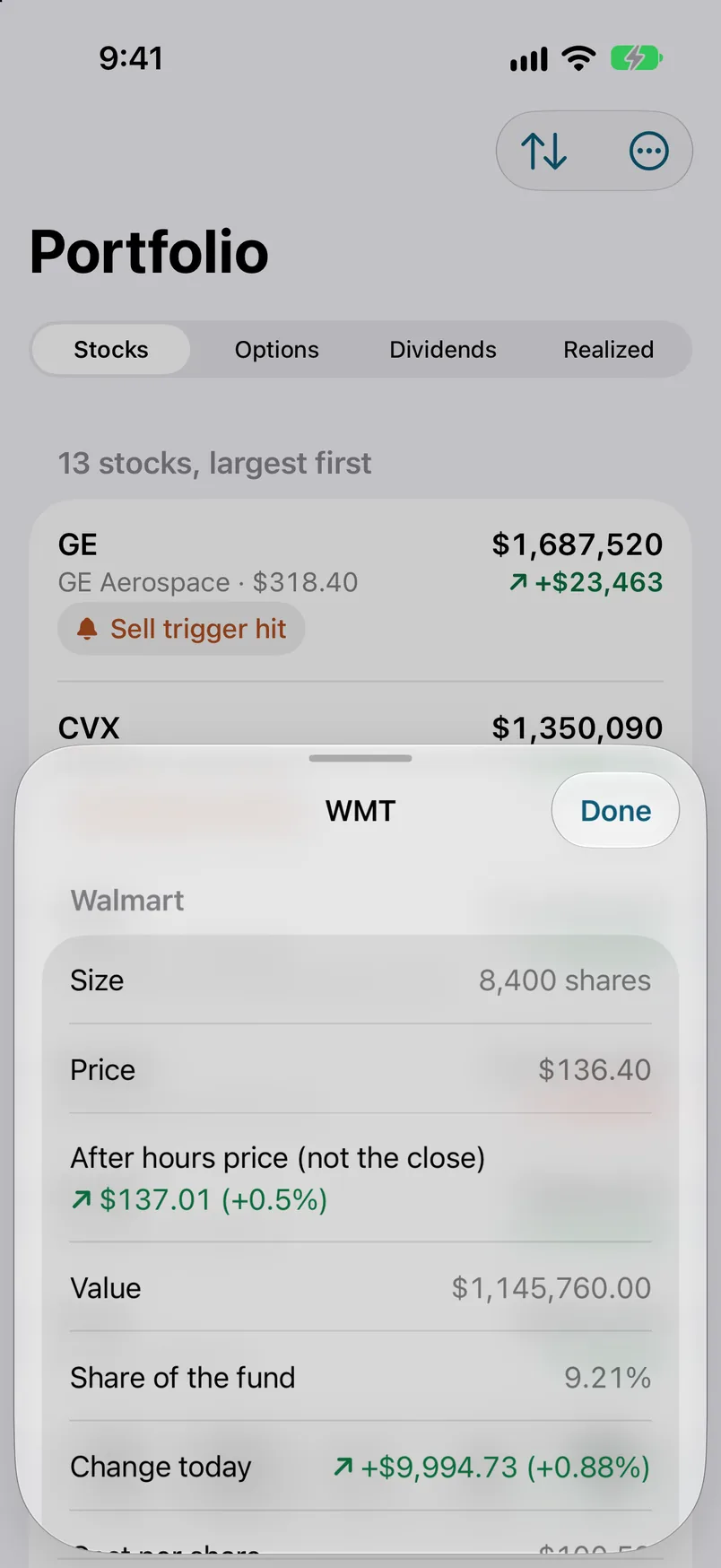
  4. 04A position, opened as a sheet. Drag it down or tap Done to close.
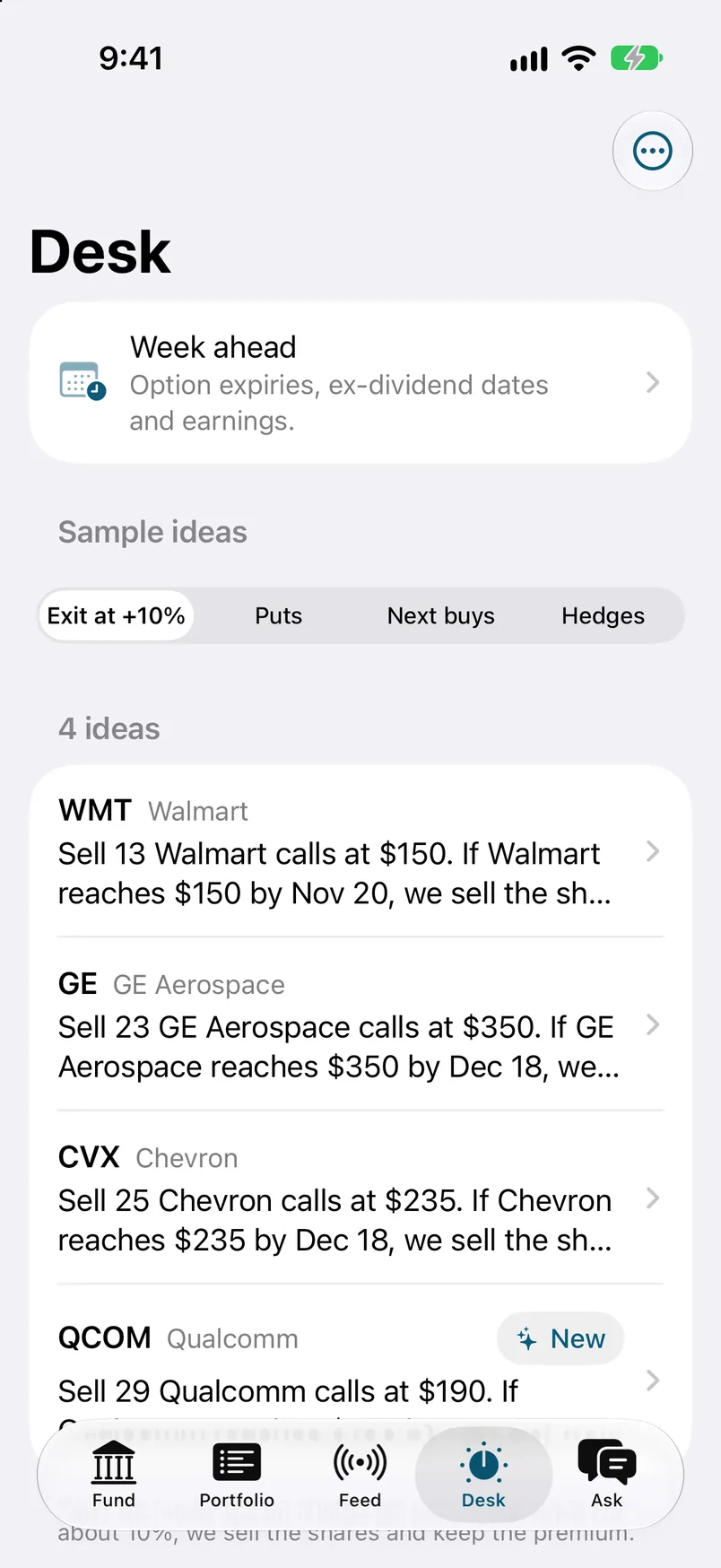
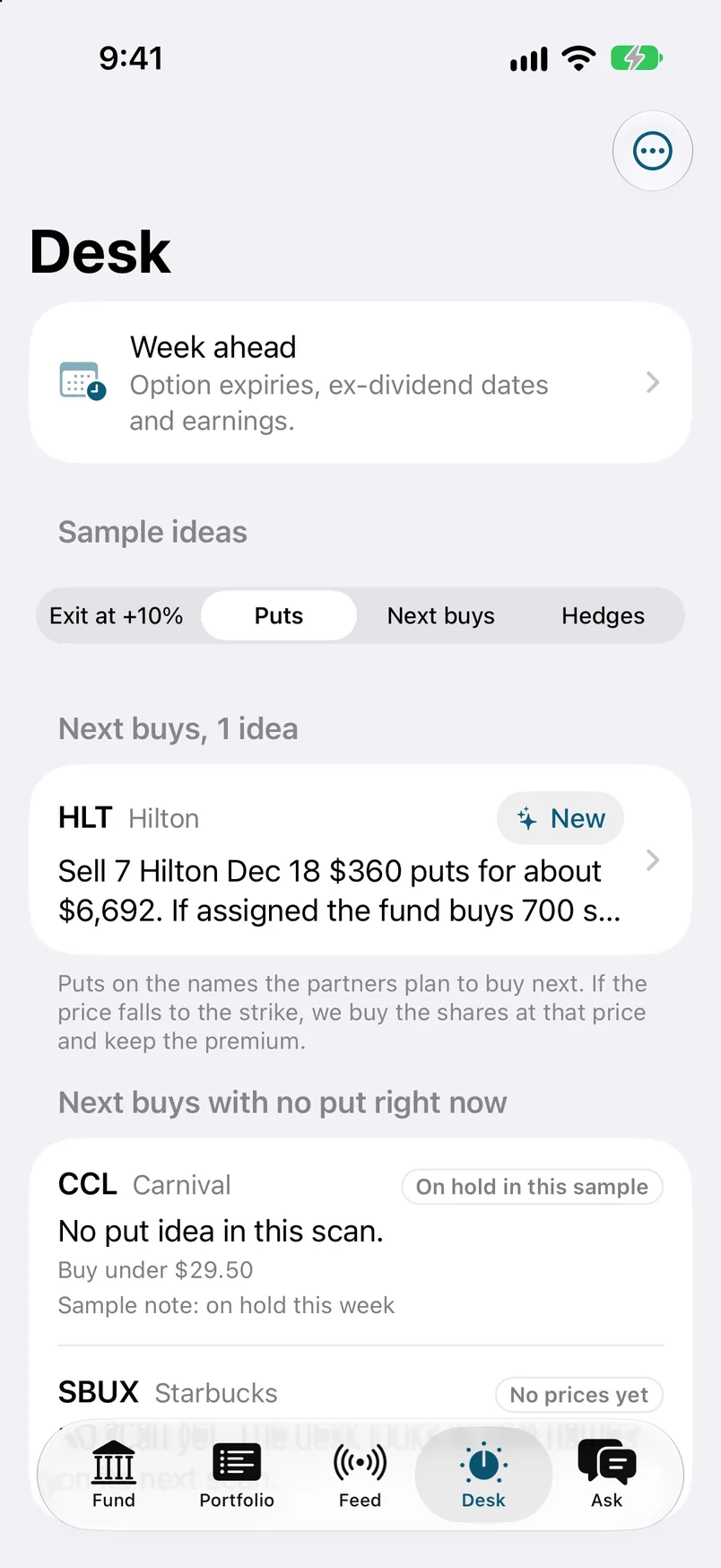
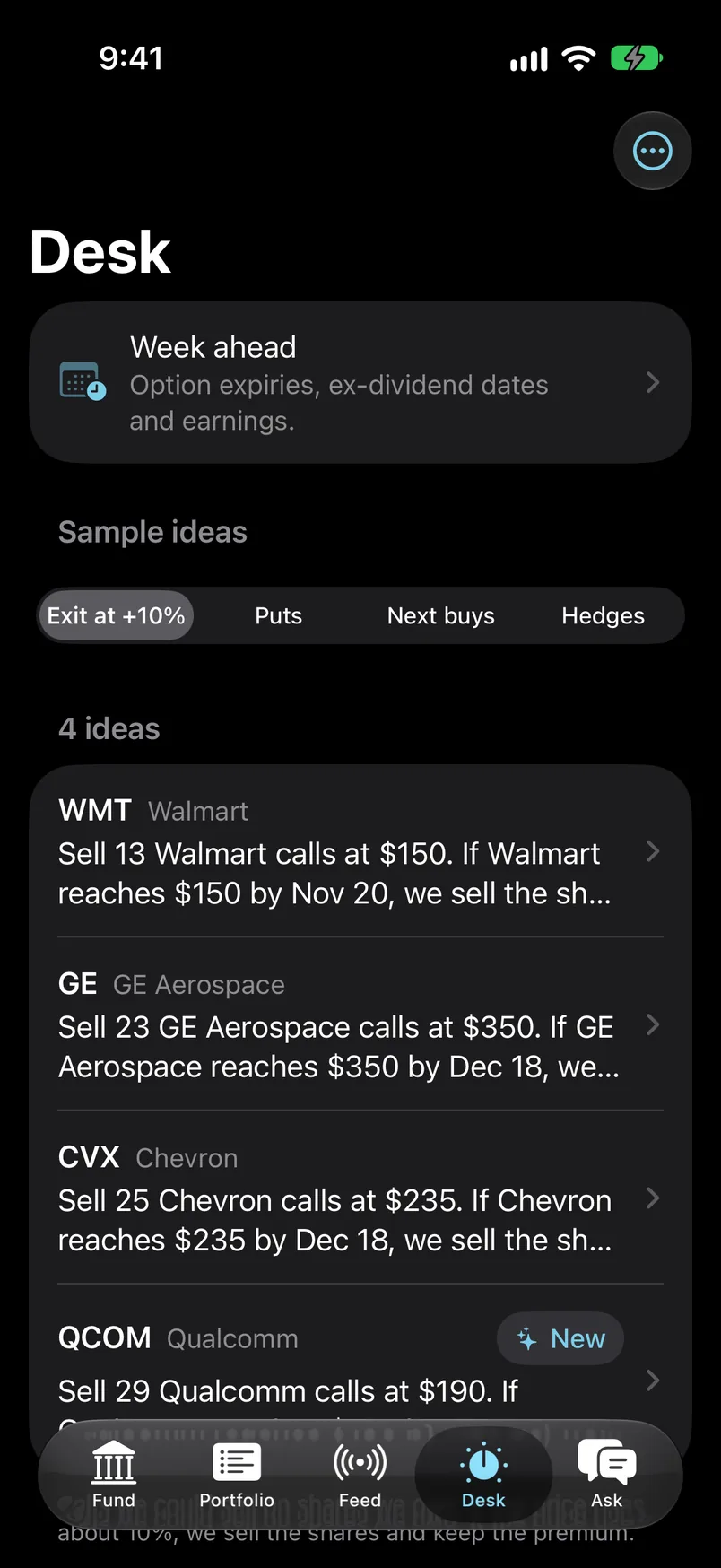
  5. 05The Desk. One sentence per sample idea. Tap an idea to open it.
  6. 06A sample idea. The contract, the premium, and the days left.
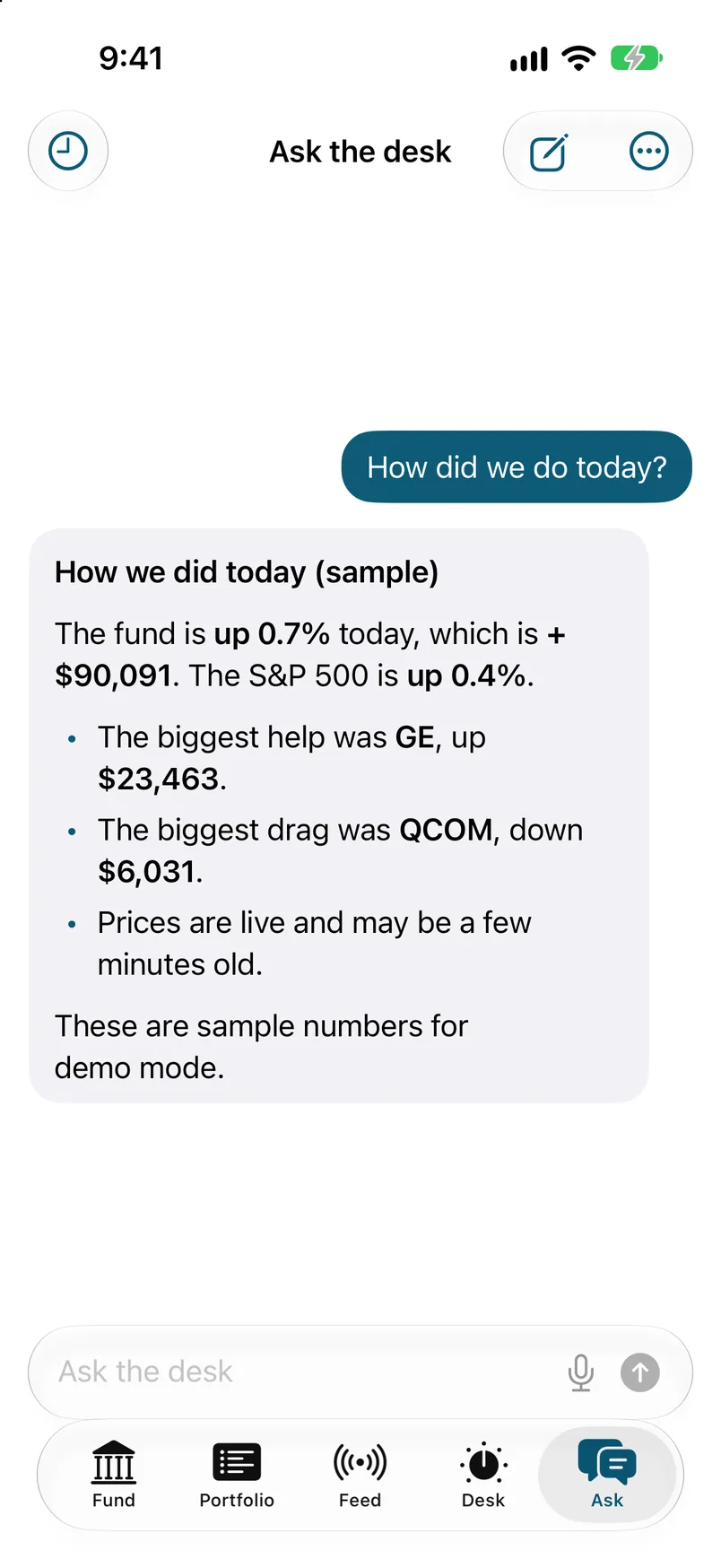
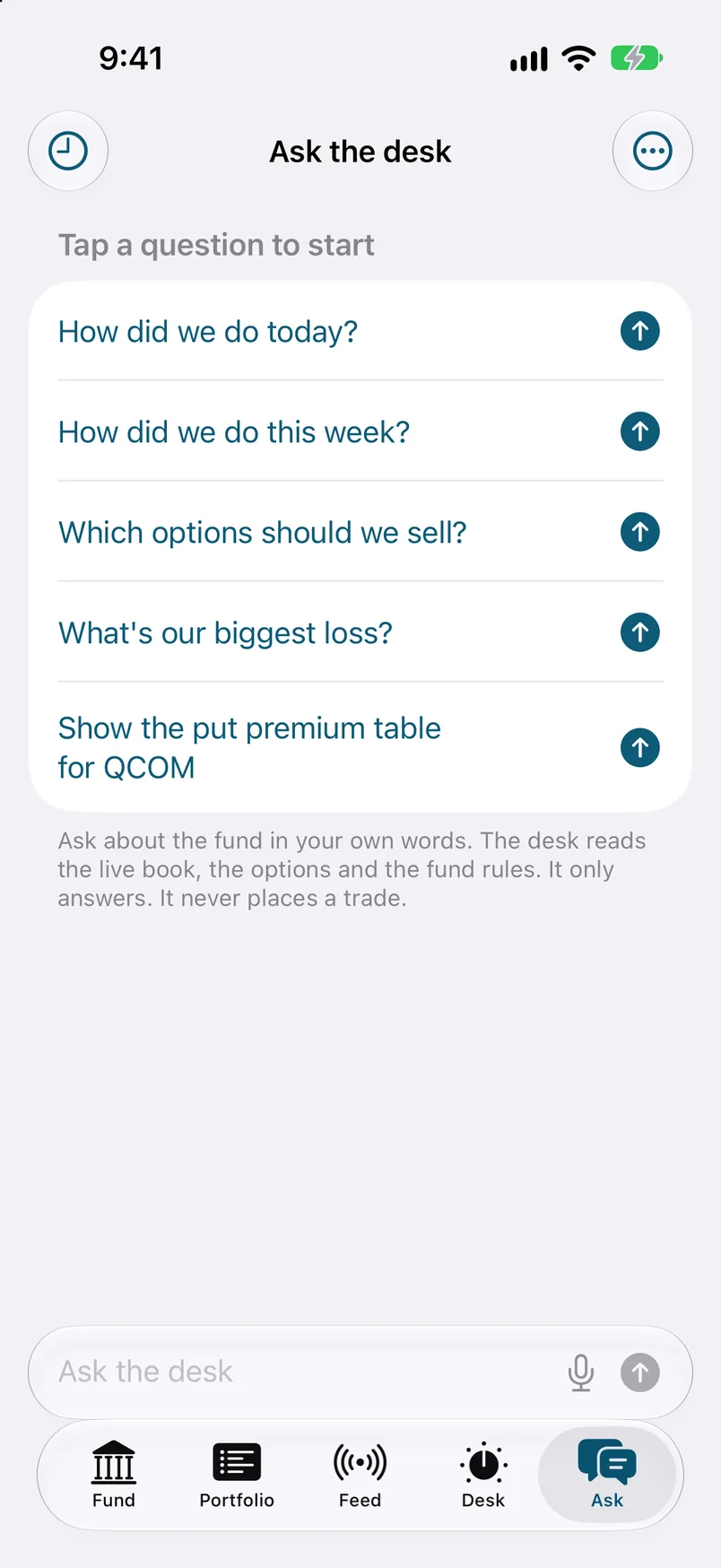
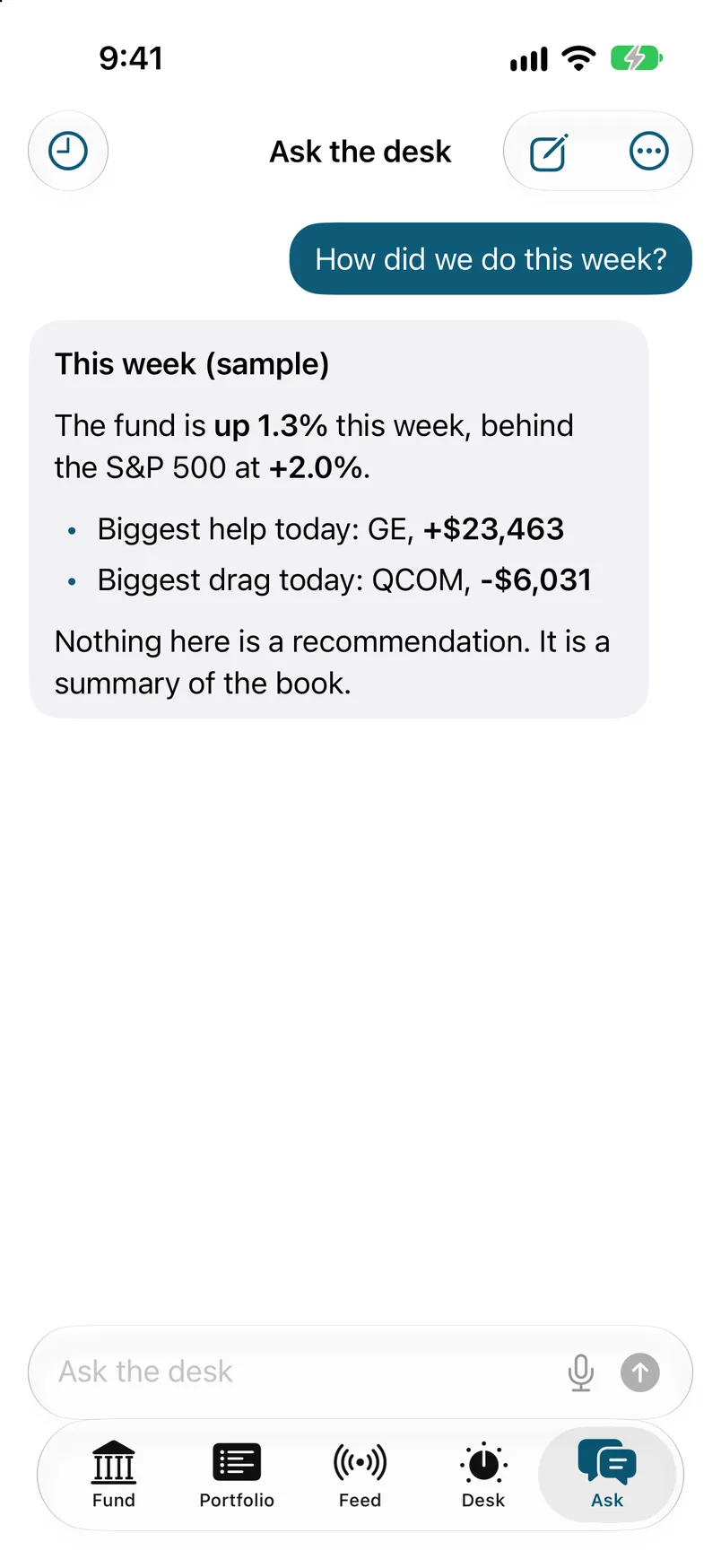
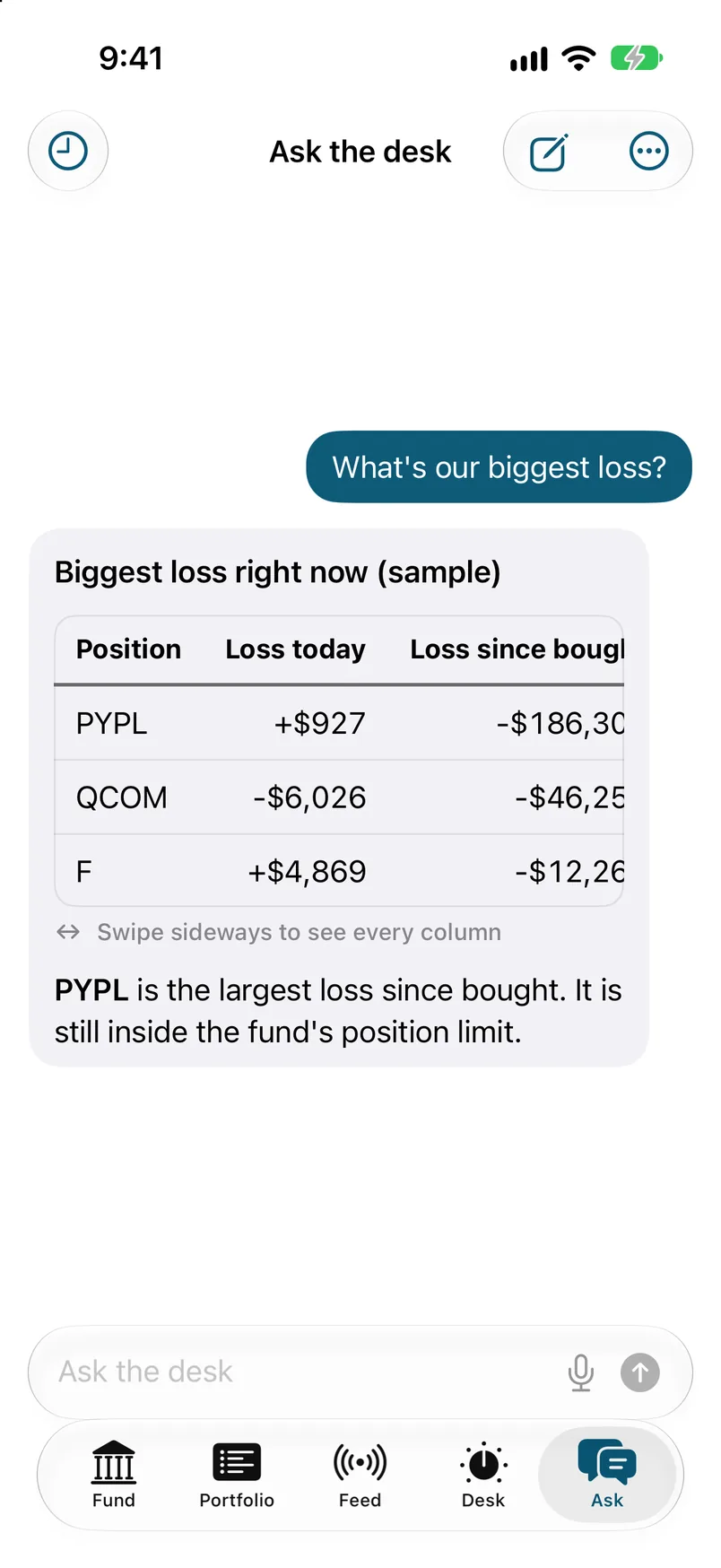
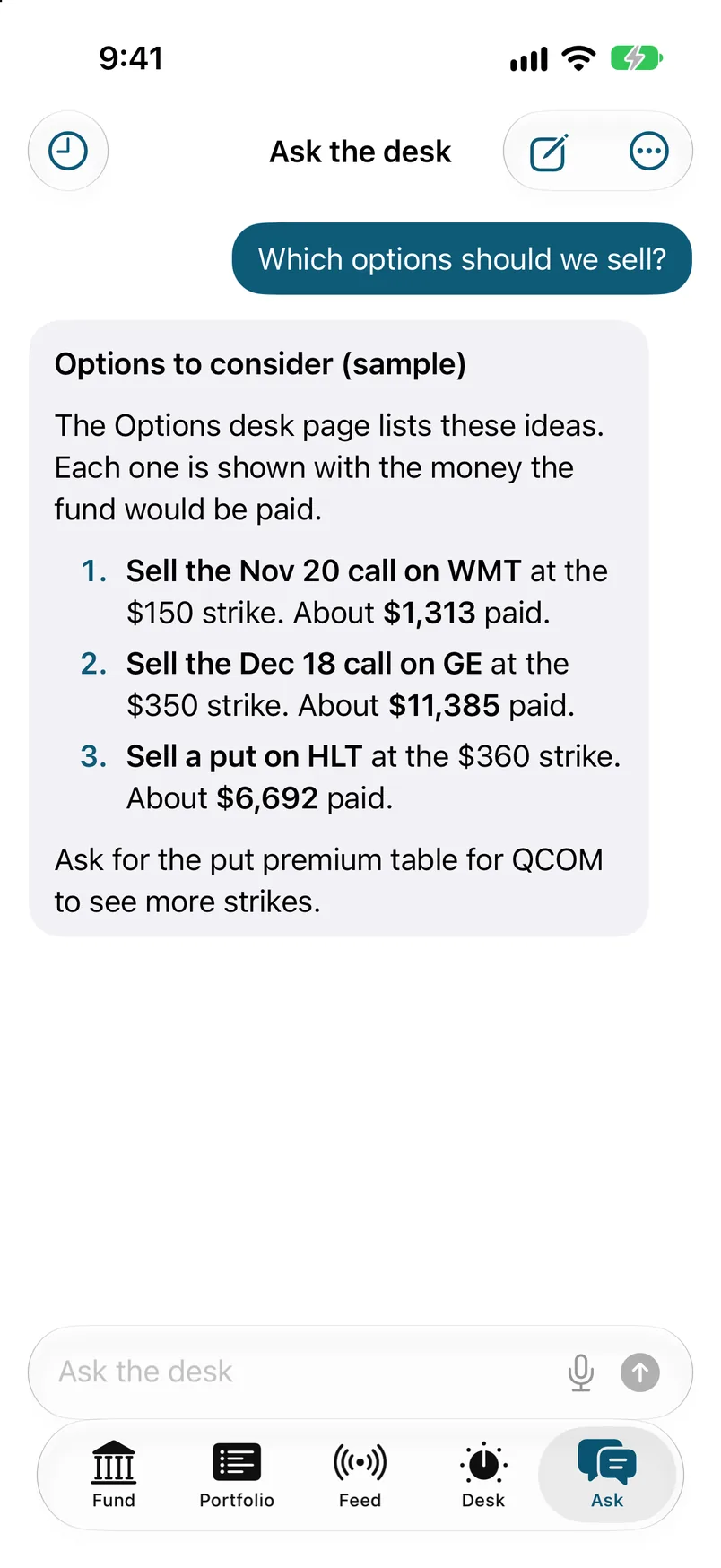
  7. 07Ask the desk. A chat over the same sample data.
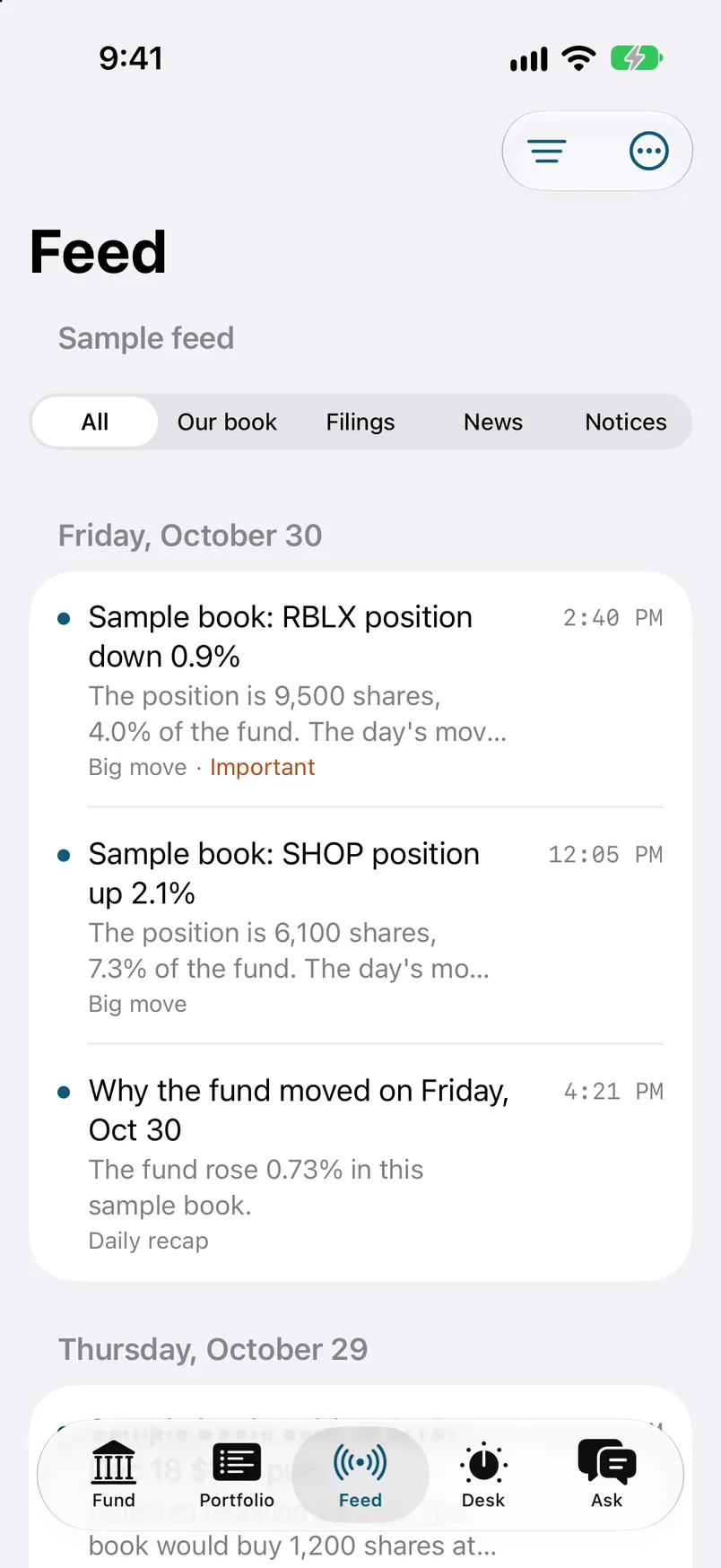
  8. 08The feed. Sample items from the desk, grouped by day.

Sample data

What it does

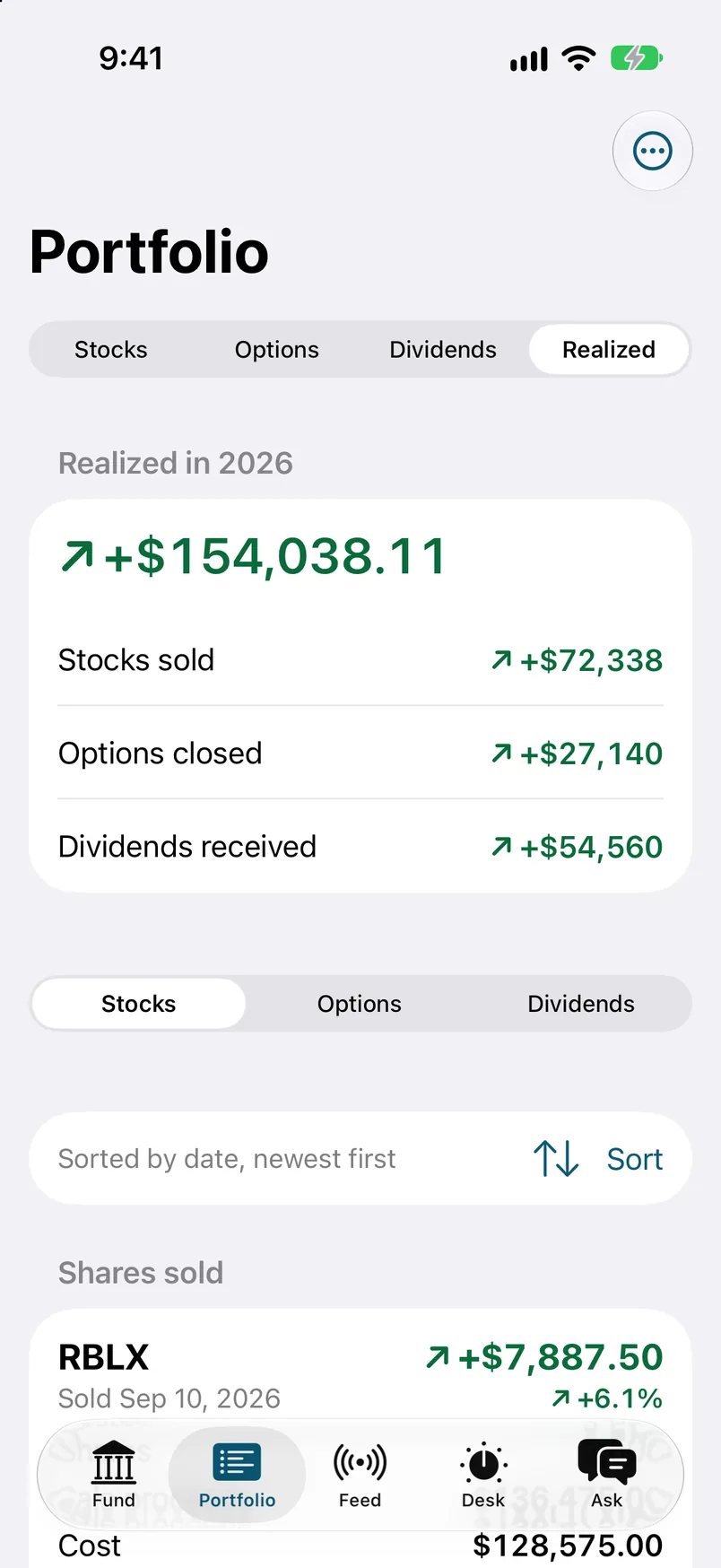
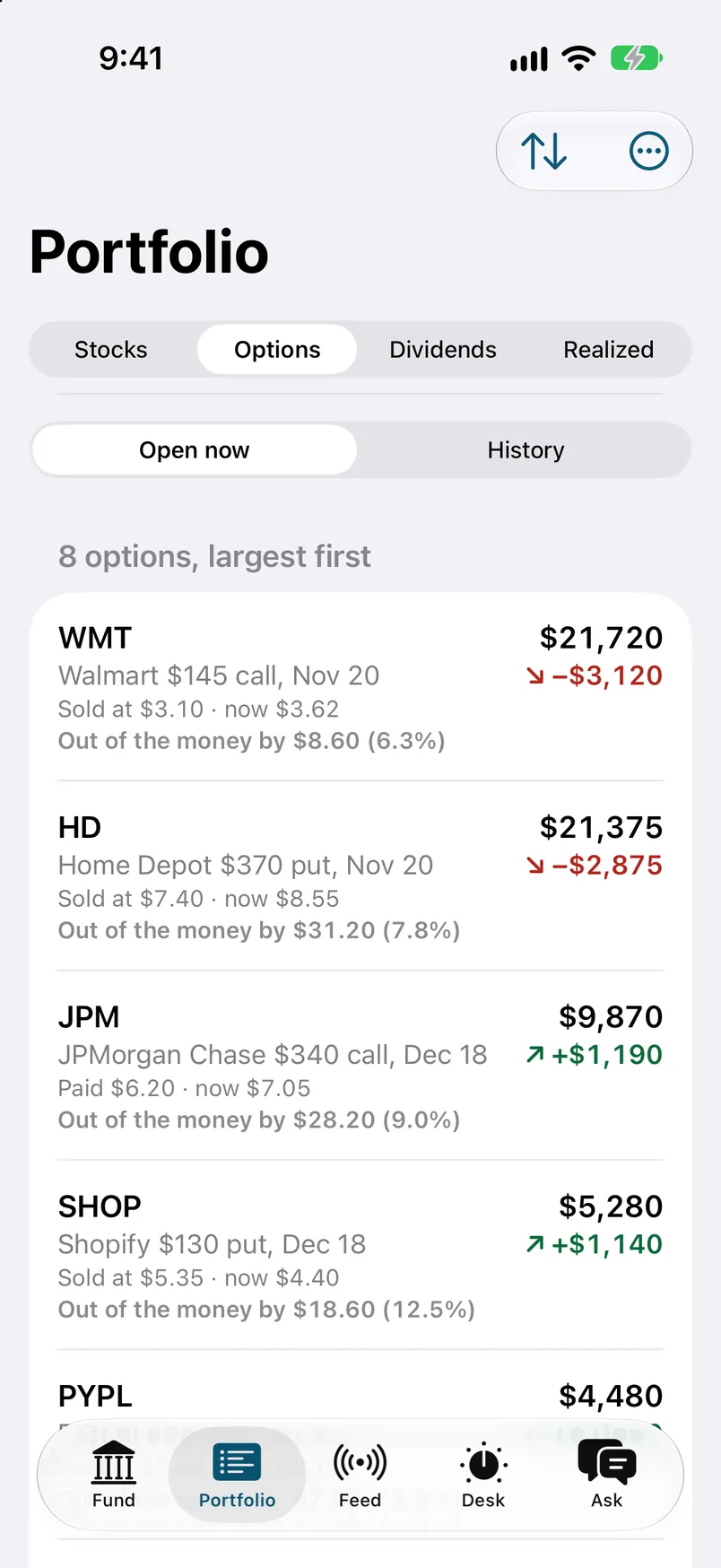
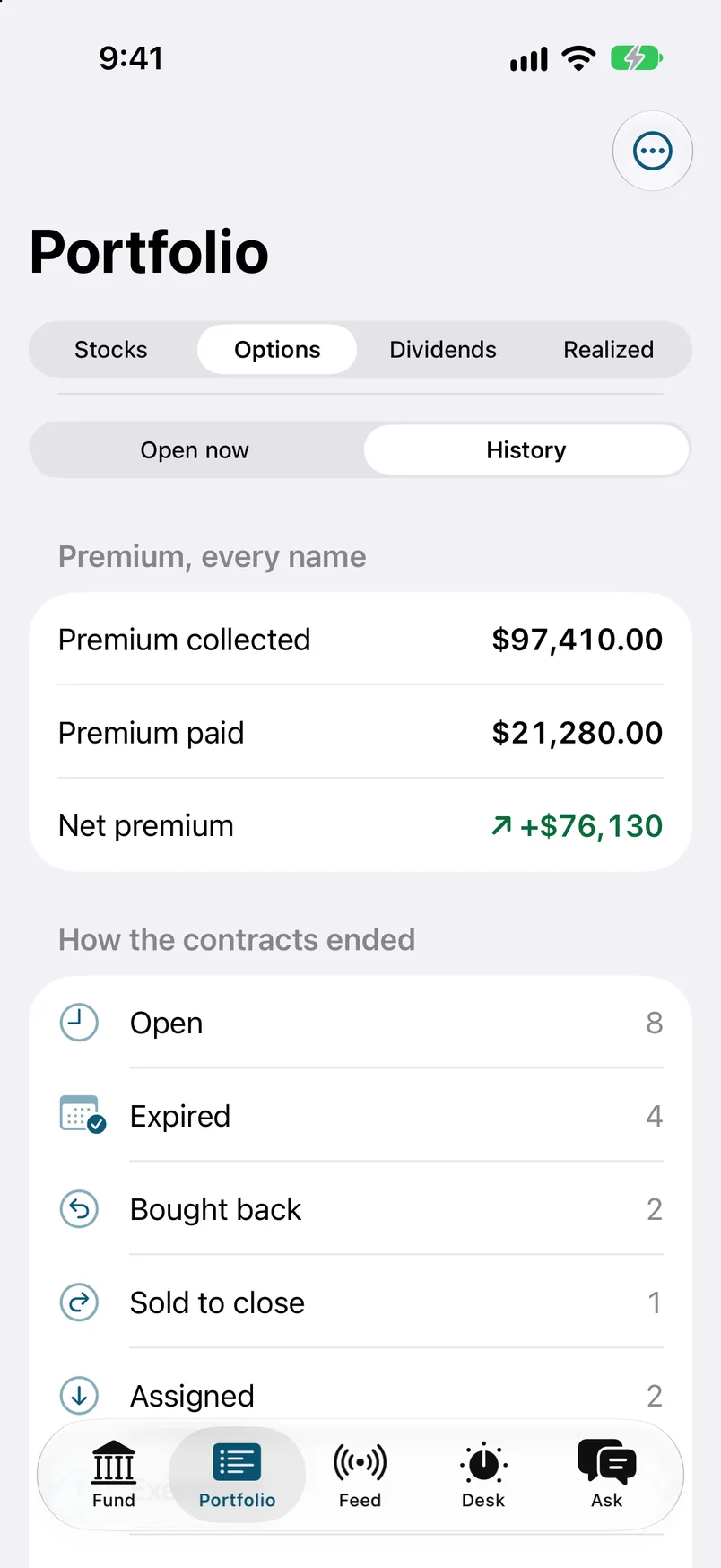
Open the app and the fund's value is already on screen. It holds the last numbers until fresh ones arrive, so there is never a blank screen. Five tabs cover the day. Fund shows the estimated value, the broker's value, the after-hours value, and how the fund is doing against the S&P 500. Portfolio lists every stock and open option, with option history, dividends, and realized gains, and each position opens to its own screen with its lots.

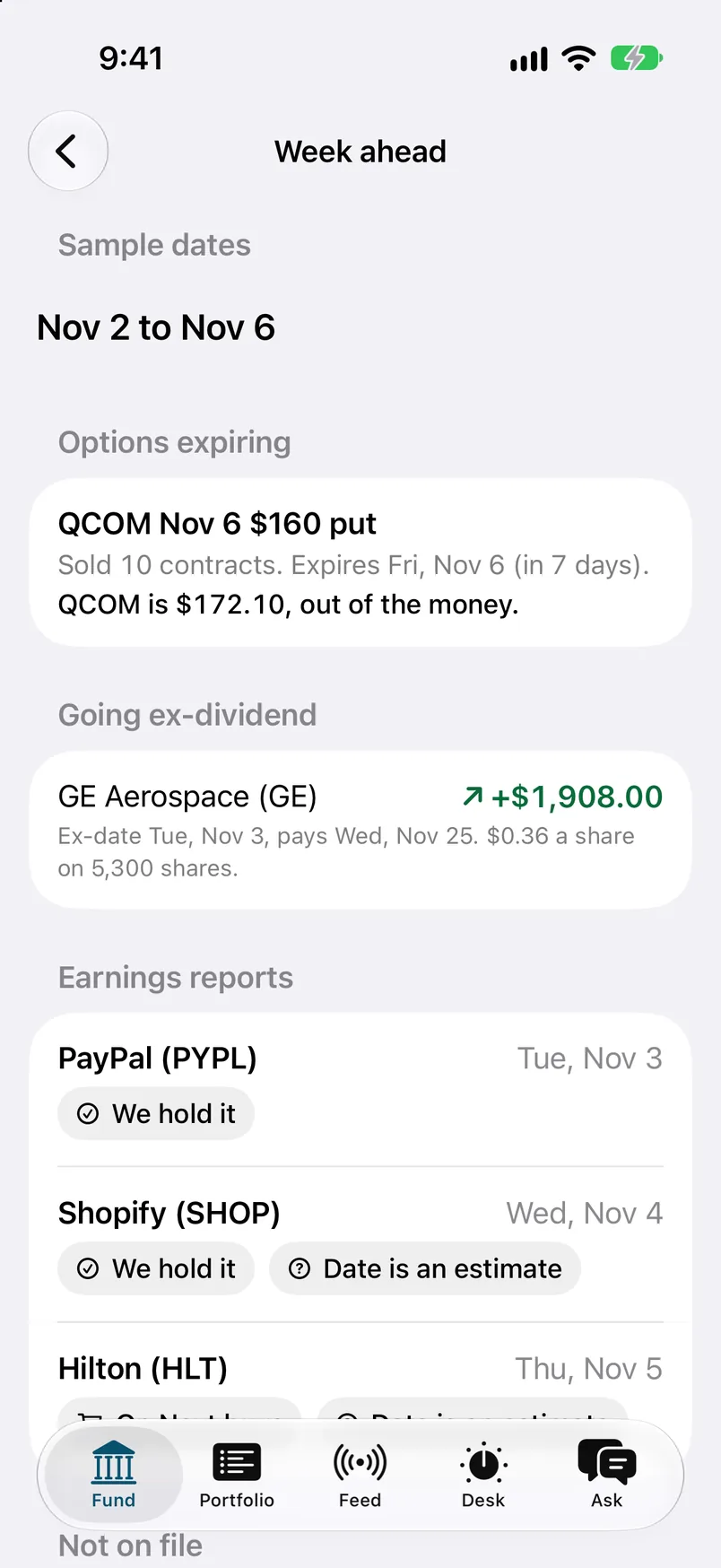
Desk is where the ideas live: calls and puts to sell, the next things to buy, hedges, and the week ahead. Feed is the running news of the book, with moves, filings, and notices, and anything noisy can be muted.

Ask the desk is a chat that is wired into all of it. Nobody pastes numbers in. Ask how the fund did today and it answers from the same figures the other tabs show, with tables when a table helps. Answers stream in as they are written, and you can talk to it or type. Past chats are saved.

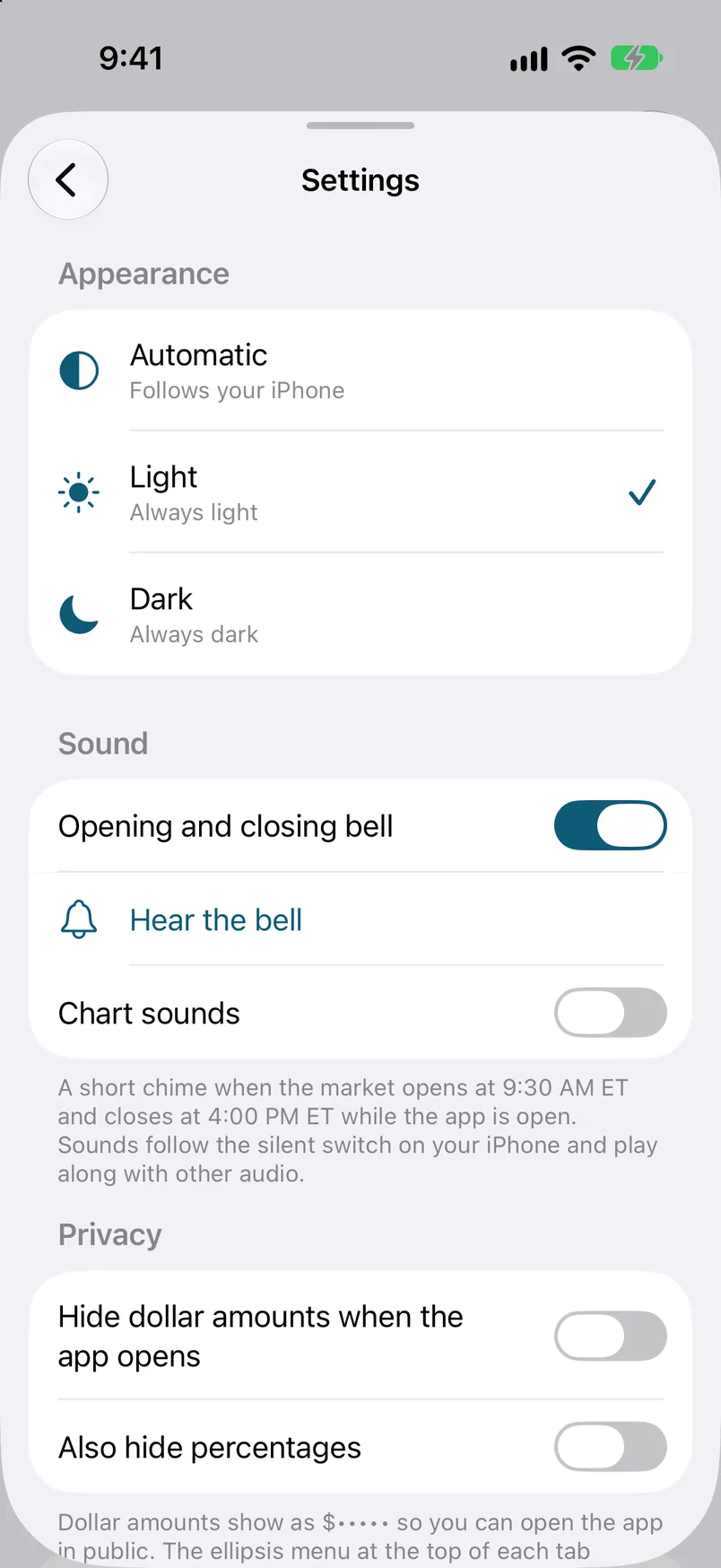
Around the edges there are widgets for the Home Screen and Lock Screen, a Live Activity that follows the trading day on the Lock Screen, a Face ID lock, a switch that blanks every figure, and light and dark themes. That is eleven features in one app.
Walkthrough

  1. The fund at a glance

    A partner opens the app and sees the fund's estimated value, the broker's value, and the after-hours mark side by side. The last known numbers are already on screen, so the first look is never a spinner. Two values that should agree sit next to each other, and a gap between them is easy to spot.

    The Fund tab: estimated value at the close, the day's change, and the after-hours mark.
  2. Performance against an index

    One chart puts the fund beside the S&P 500, and a bar for each week shows how the fund got there. Partners ask the same question every week, which is whether the fund beat the market. The answer is one screen away, with the weeks that made it.

    Performance. A chart of the fund against an index, and a bar for each week.
  3. Every position, with a flag

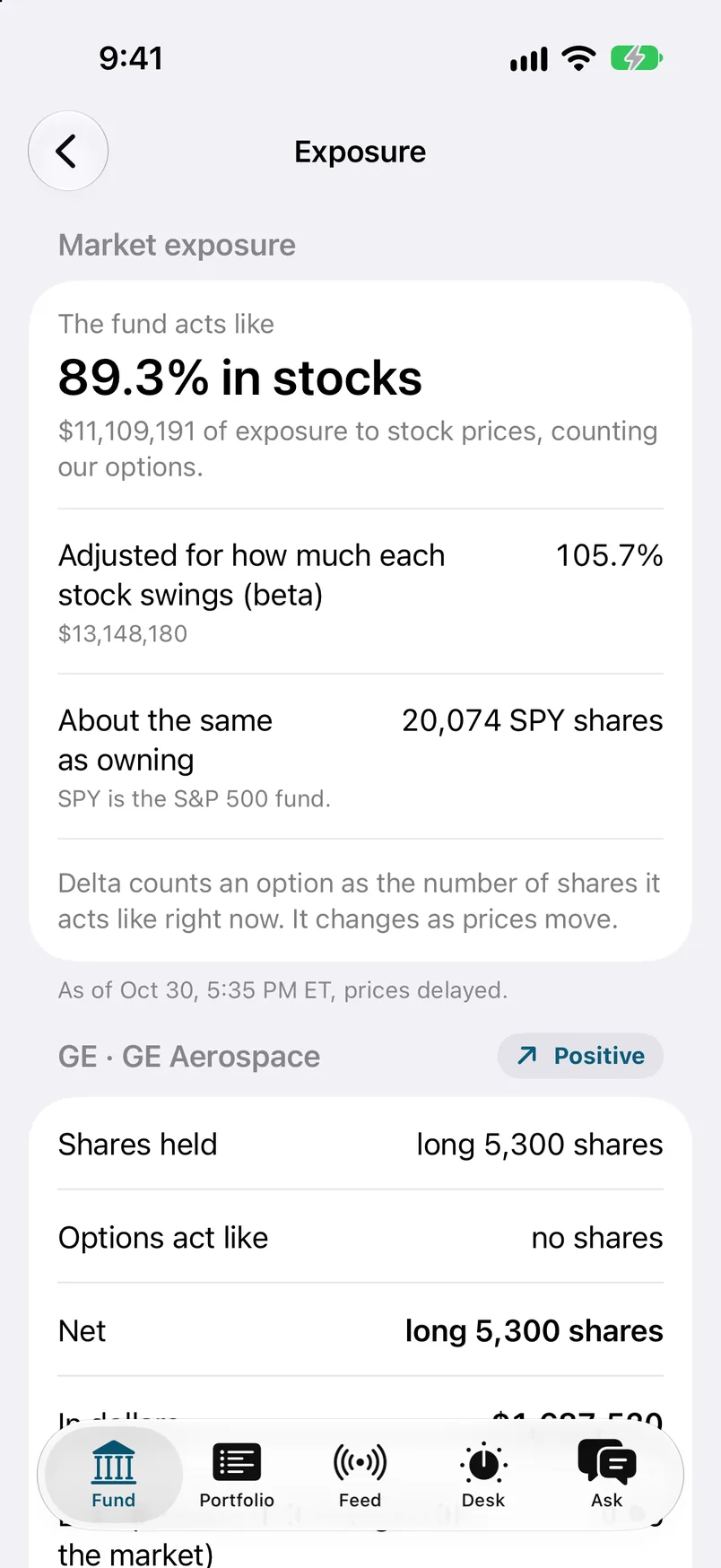
    Portfolio lists the stocks by size and marks the ones that need a look. Open options, option history, dividends, and realized gains sit in the same place, with search and sort. A partner can check the whole book without asking anyone for a spreadsheet.

    Portfolio. Stocks by size, with a flag where a position needs a look. Tap a position.
  4. One position, down to the lots

    Tap a stock and a sheet slides up with its lots and its option history. It is the same detail the back office keeps, shown in a form a partner can read standing up. Drag the sheet down and the book is still where it was.

    A position, opened as a sheet. Drag it down or tap Done to close.
  5. The Desk, one sentence per idea

    The Desk holds the ideas for the fund: calls and puts to sell, the next things to buy, hedges, and the week ahead. Each idea gets a single sentence first. A partner can skim the list in a minute and open only the ones worth the time.

    The Desk. One sentence per sample idea. Tap an idea to open it.
  6. Ask the desk

    A partner types a question, or says it, and the chat answers from the same sample figures the other tabs use. Nobody pastes numbers in, so the chat and the screens cannot disagree. Answers stream in as they are written, and tables appear when a table is the clearest way to say it.

    Ask the desk: "How did we do today?" The fund's day in one answer: the change, the index, the biggest help and drag.
  7. A feed of what changed

    The feed is the running news of the book: moves, filings, and notices, grouped by day. Anything noisy can be muted. A partner who was away for an afternoon catches up in one scroll and knows what happened while they were gone.

    The feed. Sample items from the desk, grouped by day.
  8. Widgets, privacy, and the lock

    The fund's figures also sit on the Home Screen and the Lock Screen, and a Live Activity follows the trading day. A Face ID lock closes the app at launch and after five minutes away. A privacy switch blanks every figure on screen and in the widgets, for the moments when someone is looking over a shoulder.

    Settings. Appearance, sound, and privacy.

By the numbers

Hard problem we solved

Keeping a chat over live fund data fast and cheap

A chat that can see the whole fund is a chat that can run up a bill. Every question costs tokens, and the people asking are partners checking the numbers many times a day. The data under it also moves, so the app has to be quick without being wrong.

We cache the data in layers. On the phone, every tab keeps its last answer on disk, so the app opens with numbers before the network replies, and the widgets read the same cache through a shared app group instead of calling the server. On the server side, the chat reads from cached data rather than fetching it again for each question.

We also built a custom router for the chat. It sits between the app and the model and manages token costs, so the spend for each question is controlled by us and not left to whatever the model decides to read. The answer streams back over a live connection with a status heartbeat every few seconds. A slow, careful answer never looks like a dead connection, and the app can wait up to five minutes of silence before it gives up.

iPhone appSwiftUI, Swift 6WidgetsHome, Lock, ActivityShared cacheapp group, keychainData sourcesample filesSample JSONbundled fixturesApple Pushalerts, Live Activity

Where it stands

The demo runs on sample data. The software behind it is in production at a real operating hedge fund.

Talk to us about your fund

Tell us what your partners and your back office need. hello@builtonthebeach.com

Gallery

Sample data. Fictional names and figures.

Meridian Digital Fund

The back office of a fictional fund on one dashboard, run on sample data.

Next in Fund systems